Extende apk

Screen Shoots
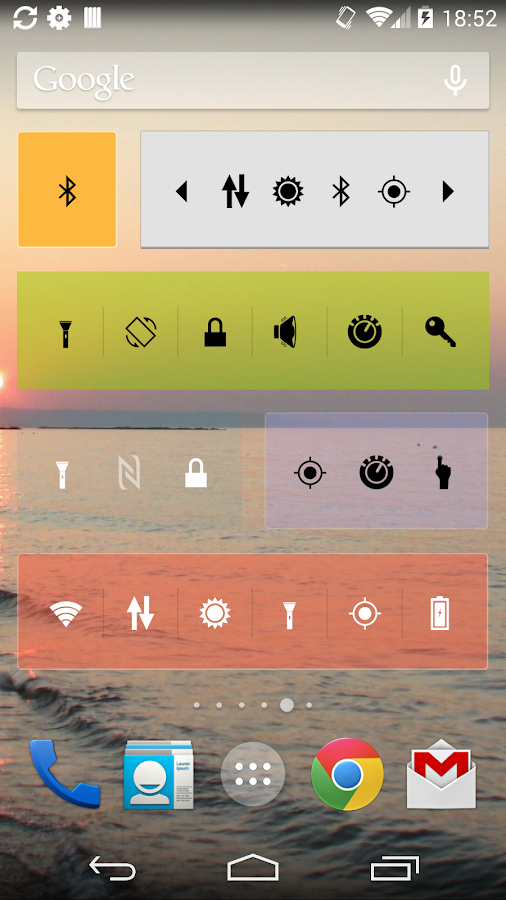
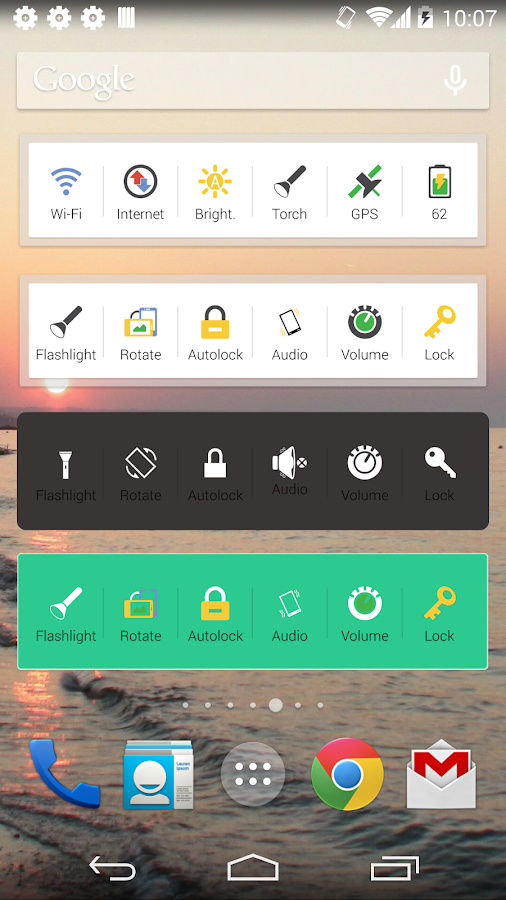
"Extended Controls is a great app. By far the most useful widget I have ever used" (computersight.com)
"The best way to have the silent mode on Samsung Lollipop"
"What�s in a name? Everything. Extended Controls is definitely the best settings widget app that I have come across and there are quite a few available at the moment" (appstorm.net)
"None of the other apps have as many functions and options as Extended Controls. The long list of widgets, the amount of various designs and its user friendliness make Extended Controls a real must-have!" (androidpit.com)
-----
Extended controls is THE MUST HAVE APP for every Android user.
The application provides highly customizable widget with more than 30 controls.
Extended Controls provides user-friendly graphic interface and a easy configuration manager.
With its features user can customize his widgets and he can beautify your fantastic Android smartphone.
Extended Controls improves batterylife using an innovative feature called "Battery saver"
Features:
- Custom backgrounds (from your gallery or download a set of backgrounds from the web);
- Widgets transparency;
- A lot of different icons;
- Edit existing widgets;
- Direct Home shortcuts;
- Customizable colors & labels;
- On/Off dividers;
- All tablets supported;
- Different widgets size (over 10 toggle for any single widget);
- Different indicator type (standard or circular)
- System Info Widget (RAM, CPU, Network, ext-memory, etc.)
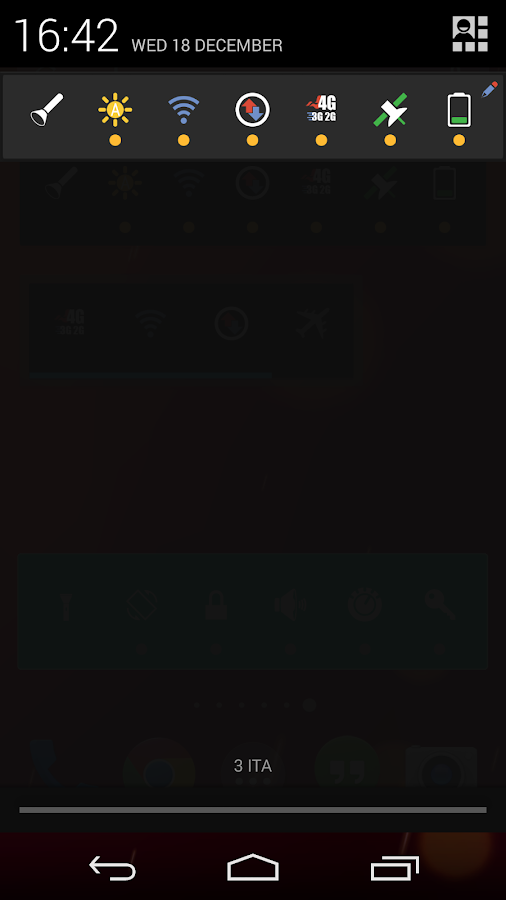
- Notification Widget (like Samsung Galaxy S3 and S4)
Advanced features:
- Widgets sliders with double arrow, to beautify your home screen;
- Widgets controller on App Drawer (Extended Controls -> Widget option);
- Active widgets in notification bar;
- Stack Widgets list;
- Widgets in notification bar;
- Possibility to remove widgets size from android menu;
- Disable static indicator;
- Widget preview of your widget on configuration activity;
- Share your widgets with main social networks (Facebook, Twitter, Google+, etc.)
Profiles mode:
- Save your widgets and load it whenever you want!!!!
As we know Android provides a widget that allows you to enable or disable these settings: WiFi,Bluetooth,GPS,Sync,Brightness.
With Extended Controls, Android Power Widget can be improved allowing users to add main settings:
- 2G-3G
- 4G (WiMAX only for EVO)
- APN (Rename APN, Direct Mode or Settings Shortcut)
- Wifi (with indicator label)
- Bluetooth
- Brightness (High customization, with custom seekbar, label percentage, native mode)
- GPS
- Auto Sync
- Auto Rotate
- Fly Mode
- SD Scanner
- NFC
- Silent Mode
- Vibration Mode
- Timeout
- Stay Awake toggle
- Flashlight (Torch) available on (Sony z3,Note 4, Samsung S5, Htc One, Nexus 5, Nexus 6 Verizon, Mobile, Nexus S, Galaxy Ace, Fascinate, LG Optimus, Atrix, Arc, Samsung Galaxy S2, Motorola Photon, HTC One, Sony Xperia Z, Sony Xperia Z1 Galaxy Nexus, Nexus 4, Nexus 5, Motorola X, Nexus 7, Nexus 10,Galaxy Tab 3, Motorola G, Samsung Galaxy S4, Samsung Galaxy Note III and others)
- Mount USB
- AlwaysOn feature
- AutoLock
- Reboot (only for root users!! bootloader, normal or fastboot, confirm dialog)
- Battery
- Locale
- Hotspot Wifi
- USB Tether
- LockPattern
- AudioManager
- Lock Screen (turn your screen off)
- Direct Shortcut app (All activities or applications)
- Haptic feedback
- Volume manager (All volumes controls)
- Shutdown (Only for root users)
- Contact direct call
- System info (RAM, CPU, memory usage, SDcard free memory)
IMPORTANT NOTES:
- For any updates or news you can follow us on
Facebook: https://www.facebook.com/ExtendedControls
Google+: https://plus.google.com/+JustbitIt
Twitter: http://twitter.com/ExtControls
****** WARNING *******
- Read Contact & Call permissions is used to add a "Direct Contact Call" toggle within widget. Without these permissions is impossible to call a contact with one-click.
The Read log permission is used into Issue Manager to allow user to send bugs of ONLY Extended Controls app.
**************************
WHATS NEW
- Fixed bug Flashlight (Android 6.0 Marshmallow)
- Fixed bug Hotspot (No UE countries)

download file now
Comments
Post a Comment