KAI Access apk
Screen Shoots
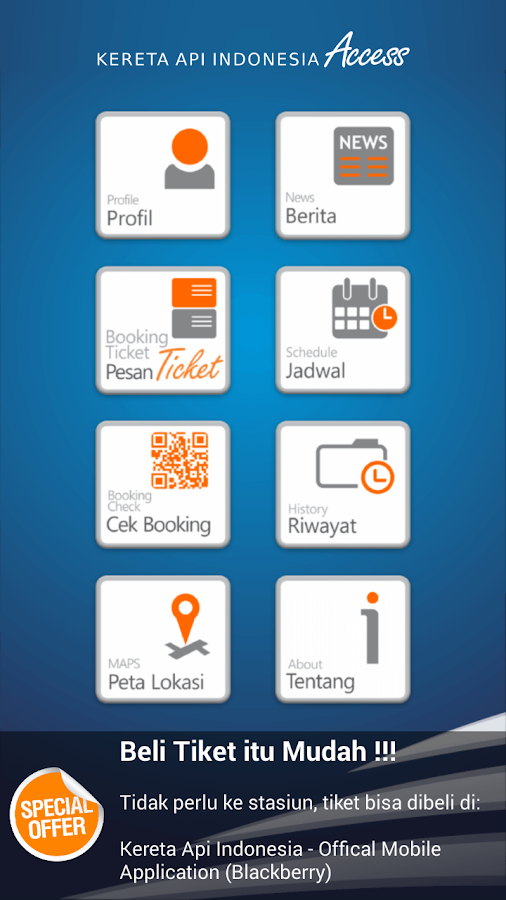

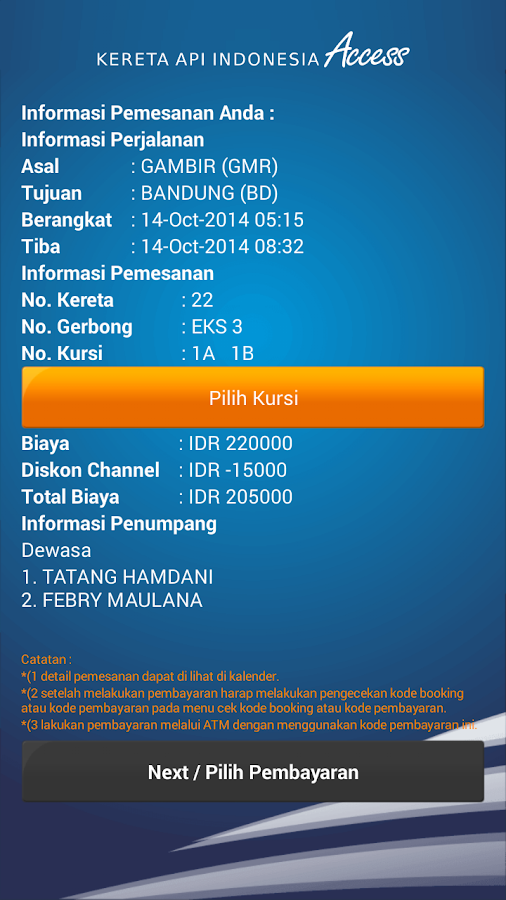
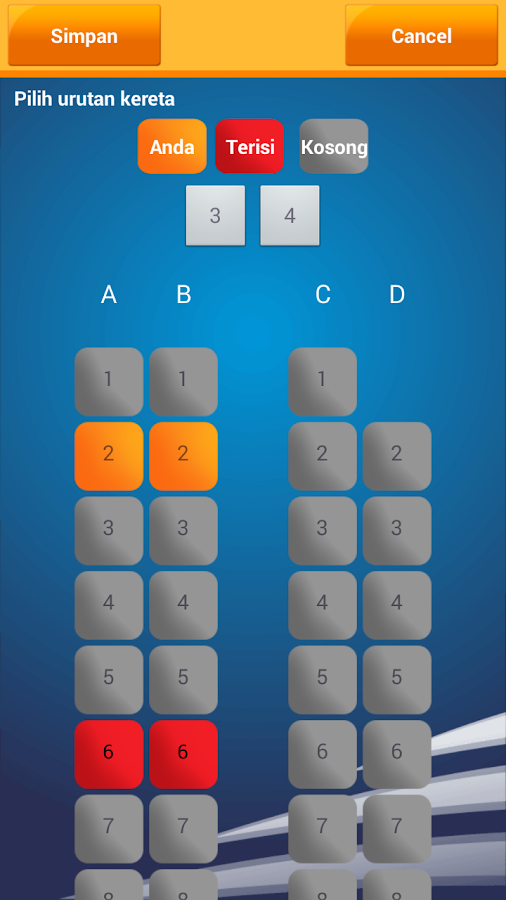
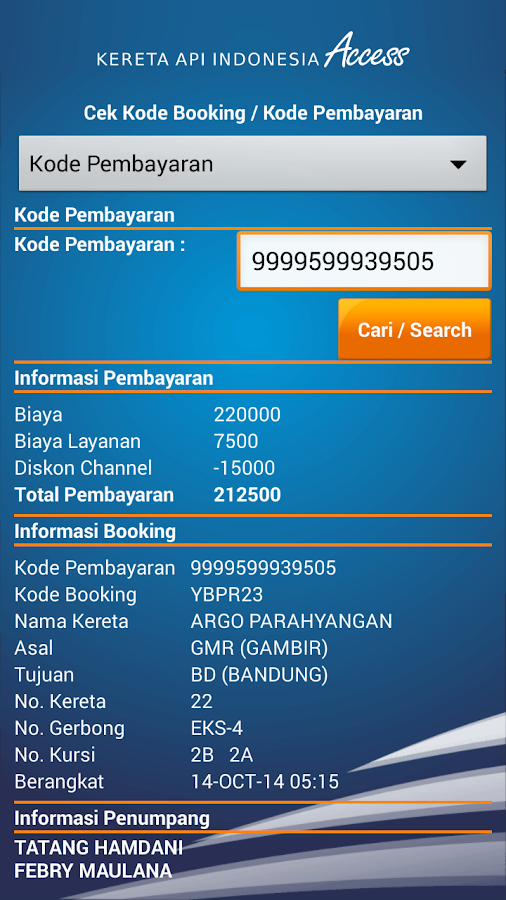
With the number of people who request the ease - the ease they had hoped. This application makes it feasible - which is expected to ease the people of Indonesia. No more need to go and queue at the counter to buy a ticket, and of course free of touts.
Kereta Api Indonesia (KAI) is the Official Mobile Application Access from PT. Indonesian Railways to facilitate the passengers to get information and book train tickets online anywhere and anytime.
With this application, the most convenient ticket booking can be done at home while watching TV with the family for a train that has been previously scheduled. Schedule issued ONLINE REAL TIME from Indonesian Railways own server.
Ease - the ease which may include:
- Simply make a payment in the channel that has been provided.
- After the ticket is paid, with proof of paid off in the menu booking code and you can get a ticket. And now you can even print their own tickets through Booth CTM (Print Ticket Independent) contained in the station.
- Maximum booking up to 3 months.
- Minimum booking until 10 hours before the train departs.
- The number of reservations can be up to 4 passengers. Passengers can be stored on the device to simplify future bookings
- Integration with the device calendar, so remind prospective passengers when departing.
- Can choose their own seats.
- Can see the history of previous reservations.
- Has Maps that can show nearby stations.
And services provided include
- KA Executive
- KA Business
- KA Economy
You no longer need to fill out biographical data repeatedly when departing train because your profile is saved on the device. Applications can store up to 4 passengers so do not bother to fill out your bio family. Once the data is stored, quite a few times touch and your family are able to get a train ticket.
Booking with Code Check function, simply enter the code passenger booking or payment code that has been paid in this application is a proof that the purchase was paid for and can be shown directly to the booth to get a ticket.
All reservations that have been made previously will be recorded on your device, so you will not forget about booking your ticket. Booking code, station relations, leaving the schedule, a list of passengers, were all recorded on the device.
With a map of the location of the station list, you no longer need to be confused in the search for stations that are in your town. Map is integrated with your GPS device, so you can just follow the instructions available on the map, and you will arrive at the nearest station.
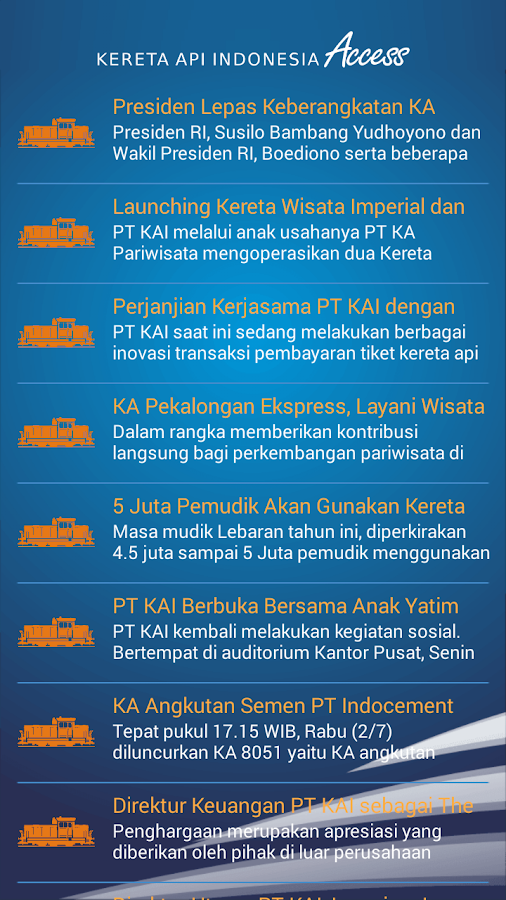
This application is also Presenting official news from PT. Kereta Api Indonesia (Persero) which makes you not miss the news about the railway in Indonesia. Promo Banner also allow you to find out news about the promo done by train.
Corporate Website: http://kereta-api.co.id
Application Support Website: http://apps.kereta-api.co.id
Application Support Email: apps@kereta-api.co.id
Follow us on twitterkeretaapikita & @ kai121
Find us on facebook https://www.facebook.com/keretaapikita
Follow us on instagram http://instagram.com/keretaapikita
Watch us on YouTube http://youtube.com/keretaapikita
Kereta Api Indonesia (KAI) is the Official Mobile Application Access from PT. Indonesian Railways to facilitate the passengers to get information and book train tickets online anywhere and anytime.
With this application, the most convenient ticket booking can be done at home while watching TV with the family for a train that has been previously scheduled. Schedule issued ONLINE REAL TIME from Indonesian Railways own server.
Ease - the ease which may include:
- Simply make a payment in the channel that has been provided.
- After the ticket is paid, with proof of paid off in the menu booking code and you can get a ticket. And now you can even print their own tickets through Booth CTM (Print Ticket Independent) contained in the station.
- Maximum booking up to 3 months.
- Minimum booking until 10 hours before the train departs.
- The number of reservations can be up to 4 passengers. Passengers can be stored on the device to simplify future bookings
- Integration with the device calendar, so remind prospective passengers when departing.
- Can choose their own seats.
- Can see the history of previous reservations.
- Has Maps that can show nearby stations.
And services provided include
- KA Executive
- KA Business
- KA Economy
You no longer need to fill out biographical data repeatedly when departing train because your profile is saved on the device. Applications can store up to 4 passengers so do not bother to fill out your bio family. Once the data is stored, quite a few times touch and your family are able to get a train ticket.
Booking with Code Check function, simply enter the code passenger booking or payment code that has been paid in this application is a proof that the purchase was paid for and can be shown directly to the booth to get a ticket.
All reservations that have been made previously will be recorded on your device, so you will not forget about booking your ticket. Booking code, station relations, leaving the schedule, a list of passengers, were all recorded on the device.
With a map of the location of the station list, you no longer need to be confused in the search for stations that are in your town. Map is integrated with your GPS device, so you can just follow the instructions available on the map, and you will arrive at the nearest station.
This application is also Presenting official news from PT. Kereta Api Indonesia (Persero) which makes you not miss the news about the railway in Indonesia. Promo Banner also allow you to find out news about the promo done by train.
So what are you waiting, download and reserve tickets now.
Indonesian Railway Access, access your ticket anytime and anywhere.
Corporate Website: http://kereta-api.co.id
Application Support Website: http://apps.kereta-api.co.id
Application Support Email: apps@kereta-api.co.id
Follow us on twitterkeretaapikita & @ kai121
Find us on facebook https://www.facebook.com/keretaapikita
Follow us on instagram http://instagram.com/keretaapikita
Watch us on YouTube http://youtube.com/keretaapikita
WHATS NEW
- English Language / Bahasa Indonesia, sesuai pengaturan pada perangkat.
- Informasi detail masing-masing kursi sesuai dengan nama penumpang.
- Minor bug fixed

download file now
Comments
Post a Comment