Link2SD apk

Screen Shoots
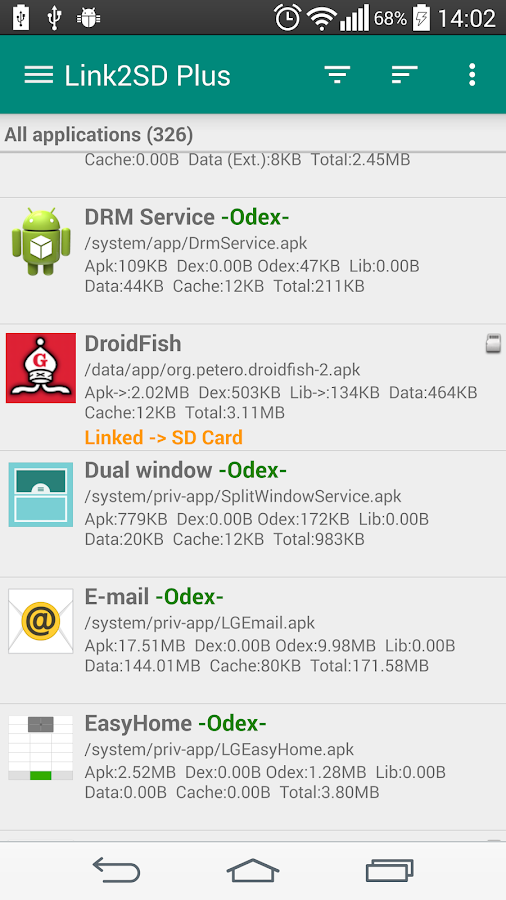
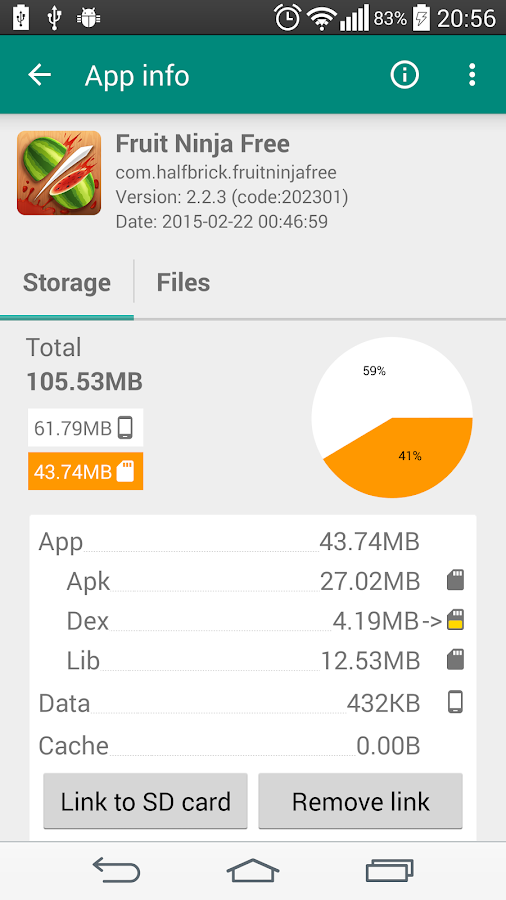
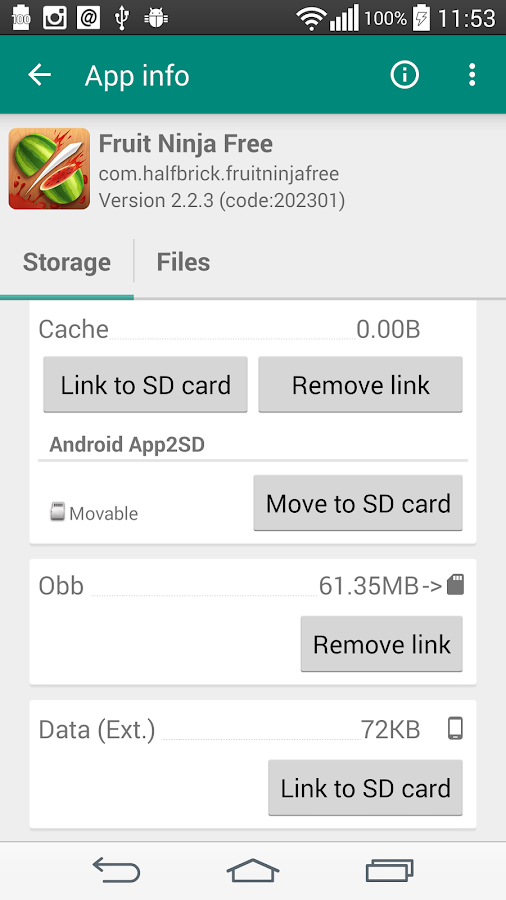
Link2SD is an application manager that makes it easy for Android 2.0+ users on their device to move applications to the SD card. It enables you to manage your apps and storage easily.
Features:
? Link apk, dex and lib files of apps to SD card
? Link internal data of apps to SD card (Plus)
? Link external data and obb folders of apps and games to SD card (Plus)
? Link dex files of the system apps to SD card (Plus)
? Auto clear cache service (Plus)
? Automatically link newly installed apps (optional)
? Move any user apps to SD even though the app does not support moving to SD ("force move")
? Shows the apps that support moving to SD with native app2sd
? Set the default install location of the apps; auto, internal, or external
? Batch link, unlink, reinstall, uninstall, "move to SD", "move to phone" functions
? Notify when movable apps installed
? Uninstall system applications (bloatware removal)
? Freeze and un-freeze system and users applications
? Convert system apps into user apps
? Convert user apps into system apps
? Integrate "Updated" system apps into system (ROM)
? Clear data and cache of the application
? Batch clear data and cache of the selected apps
? Clear all apps cache at once (1-tap cache cleaner without being root)
? Exclusion list for "Clear all app cache" function
? Clear cache widget (1-tap cache cleaner without being root)
? Notify if total cache size exceeds specified size
? Reboot manager includes power off, normal reboot, quick (hot) reboot, reboot recovery, reboot bootloader / download mode
? Reboot widget to boot with one click
? List applications, show detailed size information and link status
? Wide variety of options to sort and filter apps
? Search applications by name
? Display available space information of internal storage, SD card and SD card 2nd partition
? Share the Play Store link or the APK (apps full package) file of the apps
? Create shortcut for the apps
? Support 40+ languages
How it works:
Linking apps
Link2SD uses a secondary partition on your SD card and uses it as another segment of internal storage.
Link2SD moves apk, dalvik-cache (.dex), lib and internal data files into this partition, which the OS mounts on boot, and creates a symbolic link in the original location.
This retains the file structure that the system expects but with the bulk of the data moved to the SD card.
Linking obb and external data folders of apps and games
On devices that have emulated SD card, obb and external data folders are located in the internal storage, not in the external (real) SD card.
Link2SD moves these folders to the 1st or the 2nd partition of your external SD card (depending on your selection) and with the bind option of the mount command remounts the file hierarchy at external SD card while it is still available at the original location.
What you need:
Linking apps
- root permission
- second partition on SD card
You should have two partitions on your SD card and both should be primary.
You need to use a non-FAT file system (ext2, ext3, ext4 or f2fs) on your 2nd partition in order to link apps private data files. Because the FAT file system (FAT16, FAT32 or exFAT) does not support UNIX file ownership or permissions and will cause a security breakdown of apps private files.
Link2SD does not create the second partition, you need to create it yourself.
Linking obb and external data folders of apps and games
- root permission
Second partition on SD card is optional, folders can be moved to the 1st or 2nd second partition of the SD card.
Link2SD also provides native App2SD feature of Android OS. It can move any user apps to SD card (force move), with batch moving capability.
Link2SD is a free (ad supported) app, you can upgrade to Link2SD Plus to remove ads and get additional features.
DISCLAIMER: It is made available for use at your own risk with no warranty of any kind.
WHATS NEW
The long awaited feature to link external data and obb folders of apps and games is now available.
4.0.12
- added 64bit support
- minor bug fixes and improvements

download file now
Comments
Post a Comment