link2SD Plus apk
Screen Shoots
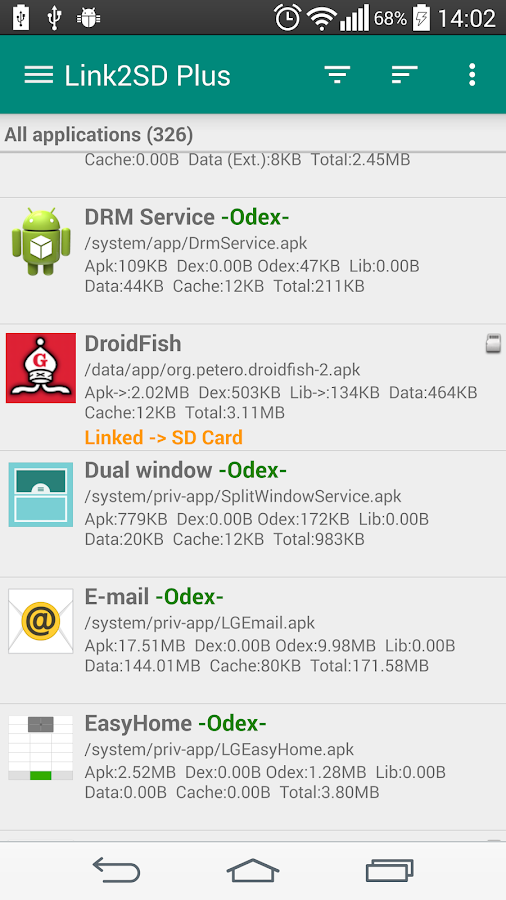
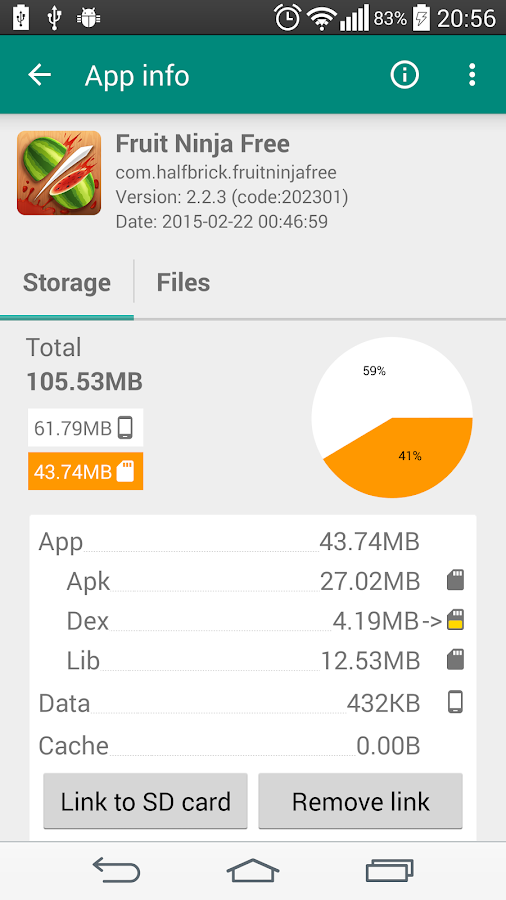
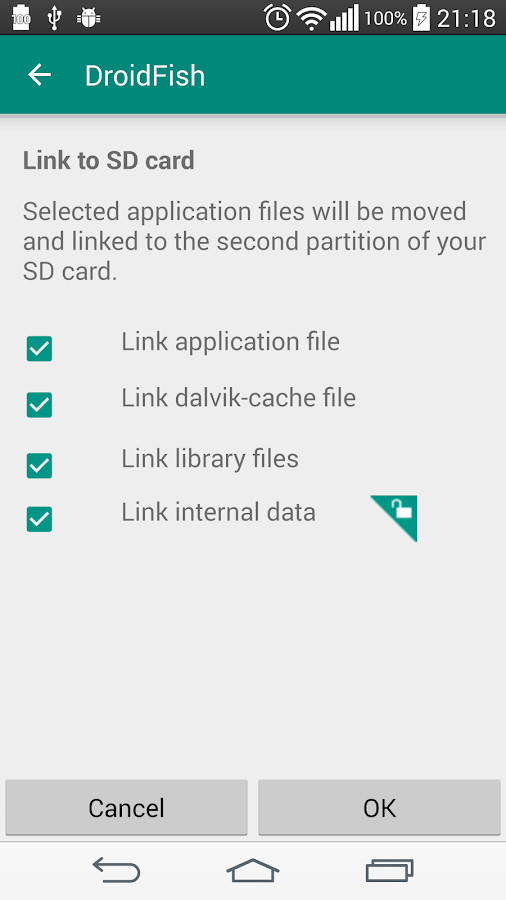
???? Plus key for Link2SD ????
This app is a license key only, requeries the Link2SD (free) app and turns it into Plus edition, removes ads and unlocks additional features. You will see "Link2SD Plus" on the title in Link2SD (free) app.
Plus features added
? Links internal data directory of apps to SD card
You need to use a non-FAT file system (ext2, ext3, ext4 or f2fs) on your 2nd partition. Because the FAT file system (FAT16, FAT32 or exFAT) does not support UNIX file ownership or permissions and causes a security breakdown of apps private files.
? Links external data and obb folders of apps and games to SD card
? Links dex files of the system apps to SD card
? Auto clear cache service
? Removes ads from Link2SD
**** Note for old Link2SD Plus users ****
Due to a problem with Google Play the package name of the app has changed and published as a new app.
It is the same as the old one, you can continue to use old version. You can reinstall the old version from "Play Store -> My apps -> ALL".
But if you want to or need to install the new one please send me your old order number (transaction id). Ill refund it so you can purchase the new one.
**** Support & Upgrades / Reinstalls ****
? Keep "Link2SD Plus" installed and do not freeze (disable) it.
? Link2SD Plus purchase is per Google account for purchases on Play Store, all upgrades and reinstalls are free.
? You can install Link2SD Plus on any device for free as long as you use the same Google account you bought it with. Note that for Google Play Store purchases if you have multiple Google accounts on the device, your "original" Google account should be selected in Play Store (side menu => top-right white arrow next to your account).
If youre getting license error
This is reported in the following cases:
? Play Store app not loaded. Please start Play Store app and wait until it fully loads start page. Play Store app can fail to load, for example, during its self-updating. Please wait until it fully loads, then start Link2SD again
? internet connection is not available/unstable or Play Store app/services are blocked from internet. It requires a network connection for the first license check. But then you can go offline for a period of time before requiring another license check. Caching is enabled for license check.
? Link2SD Plus is in fact not licensed/order is incomplete/refunded/canceled. Please open your transactions in "wallet.google.com" and check your Link2SD Plus status is "Complete"
? invalid Google account on the device. Google Play apps are bound to the Google account, if you change it, Play Store cant recognize your purchase anymore. Please re-add that Google account back to your device and/or select this account in Google Play Store app (side menu => top right arrow next to your Google account)
? too much requests from apps to Play servers for license check. Please try again later (in 10 minutes)
? (Android 2.x) background data is disabled
To resolve this issue:
1. uninstall Link2SD and Link2SD Plus then reboot
2. ensure you have internet connection on the device up and stable
3. install Link2SD and Link2SD Plus from Google Play Store app. Reinstalls to the same account are free. (Installing from the APK wont resolve the issue)
?4. you may need start/wait a bit/exit Link2SD Plus a few times to reload license state.
5. if it didnt help, clear data of Google Play Store and Google Play services and reboot
If youre getting �insufficient storage available� error when installing Link2SD Plus even you have enough free space
To resolve this issue:
1. "Clear all app cache" within Link2SD
2. set "install location" to automatic within Link2SD settings and reboot
3. if it didnt help, clear data of Google Play Store and Google Play Services and reboot
WHATS NEW
1.1
- added launcher icon and activity to show license status
- manifest and graphics adjustments, new translations

download file now
Comments
Post a Comment